Still frustrated by the continuous pop-up of Http://the-official-survey.com? Having spared no effort to handle with it, but just couldn’t stop it from disturbing while surfing the internet? If this is the situation you are in, you should take actions to remove it completely to protect your computer.
Http://the-official-survey.com Description
Http://the-official-survey.com is classified into the unwanted browser hijacker family. Once enters, it will automatically get installed to your system and perform lots of malicious activities.The most frequent activities performed by the-official-survey.com are as following: modifying your browser homepage and hijacking your search websites to its certain webs which have nothing to do with your search queries but show you lots of commercials or other unwanted information. Apart from these, it consumes your system resource and slows down the computer speed by adding malicious code and executable files. It also disables windows firewall and takes full advantage of the keyloggers through which it can record your important information and provide it to remote hijackers.
Since this redirector can sneak into the computers easily via spam emails, shared files or some free downloads on the internet and so on, you are supposed to keep an eye for those websites or downloads you are not trust so as to avoid unnecessary troubles caused by Http://the-official-survey.com.
Potential Troubles Caused by Http://the-official-survey.com
1. It modifies your browser settings and hijacks your websites;
2. It tricks you to visit unwanted websites.
3. It shows annoying pop ups;
4. It turns off the antivirus application;
5. It adds malicious codes and files to your system;
6. It steals your information and open doors for cyber hackers.
Steps to Remove Http://the-official-survey.com Manually
Step1. Use windows Task Manager to end Http://the-official-survey.com running processes
Press CTRL+ALT+DLE or CTRL+SHIFT+ESC to launch Task Manager.
Step2. Search Http://the-official-survey.com and delete it.
Go to the Start and click on “Search program and files”,
Step3.Use Register Editor to remove Http://the-official-survey.com registry entries.
Hit Win+R keys and then type regedit in Run box to search.
Step4. Reset browser by the following guide.
Open Internet Explorer >> Tools >> Internet Options >> General tab >> Use default'>> enter your own website, e.g.Google.com>> OK.
You may encounter some difficulties during the manual removal if you are not familiar with manual operation. In this case, to avoid any mistake that might occur to make your computer worse, you could use the professional remover SpyHunter to automatically remove the-official-survey.com.
Steps to Remove Http://the-official-survey.com Automatically
Step A. Download removal tool SpyHunter
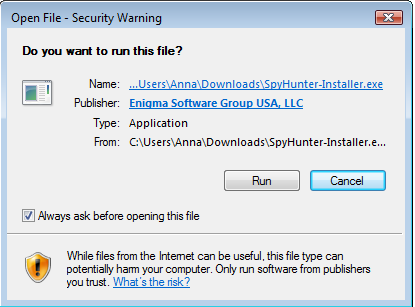
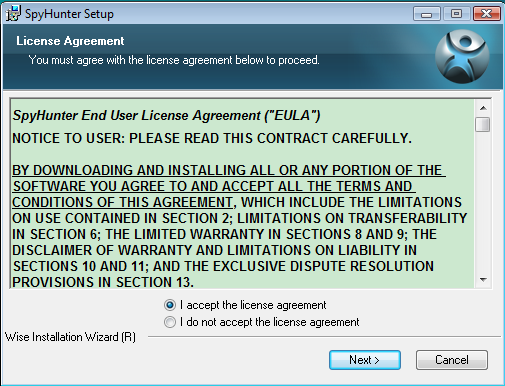
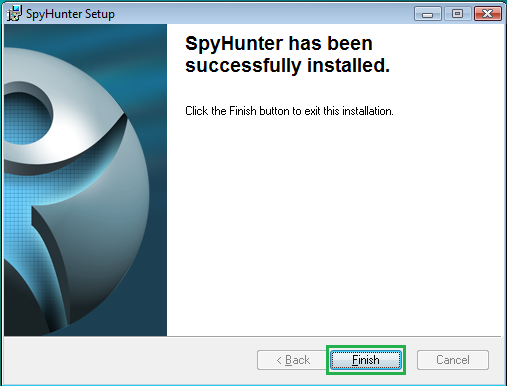
Step B. Install SpyHunter by following the instructions
Step C. Run SpyHunter to scan your PC
Run SpyHunter and click "Malware Scan" button to scan your computer

Step D. Show scan result and then delete all detected items.
the-official-survey.com is such an annoying adware that should be removed timely. Hope the manual tips could walk you through the removal process. Should you run into any puzzle, you are suggested to download the most popular Antivirus program SpyHunter to uninstall the-official-survey.com.)