
1. It seriously disorders your system by modifying related system settings.
2. It encrypts your files without permission.
3. It displays warning to threaten you to pay for decrypting your files.
4. It may disable your security tools to bypass detection and removal.
5. It may bring in other unwanted applications.
Learn More About Cryptorbit Program
Cryptorbit program is a troublesome ransomware which developed to rip innocent users off by scaring them to pay for decrypting their encrypted files in their infected computer. Having much in common with Cryptolocker and Dirtydecrypt ransom virus, after modifying relevant files and settings of the affected system, Cryptorbit program searches for your important files, including videos, photos and documents,etc in your system, whether compresses them as a file with password protection, or encrypts each single file.
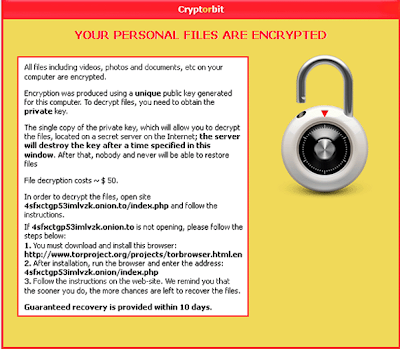
Every time you try to open your files, you will be greeted by a warning message “YOUR PERSONAL FILES ARE ENCRYPTED”. You are also informed that you need to hand in $50 to obtain the unique key generated for the computer to decrypt your files; otherwise you will never get your files back. Please do not be taken in by this tricky scam. If you follow its steps to visit certain website, you may be led to somewhere with more malicious programs, or you will encounter with huger mount of financial blackmail.
As for the encrypted files, just like those encrypted by Cryptolocker virus, accord to the study of various computer experts, although they fought tooth and nail to deal with the decryption, but gain no big progress. Facts have been proved that some users pay for those blackmail, but they still have difficulty in using their files. So it is not advised to pay for its so-called private key. You are supposed to remove Cryptorbit ransom virus timely to avoid more damages.
How to Deal With Cryptorbit Ransomare Effectively?
Manual removal tips:
Step 1: Disable devious Startup item
a. Start>>Run>>type msconfig>>press OK
b. Navigate to Startup tab and find out Cryptorbit related item, disable it.

Step 2: End evil process Press
Ctrl+Alt+Delete key to launch Task Manager, find out Cryptorbit related process and click on End Process

Step 3: Show hidden files.
a. Open Control Panel in Start menu and search for Folder Options.
b. When you are in Folder Options window, click on its View tab, Check Show hidden files and folders and uncheck Hide protected operating system files (Recommended) and then press OK.
Step 4: Delete associated files.
%AllUsersProfile%\ApplicationData\temp\Cryptorbit.dll
%AllUsersProfile%\ Application Data\roaming\Cryptorbit.exe
Step 6: Delete relevant entries.
Hit Win+R keys and then type regedit in Run box, find out Cryptorbit related entries and remove.


HKEY_CURRENT_USER\Software\Microsoft\Windows\CurrentVersion\Run Cryptorbit \“[RANDOM CHARACTRERISTIC]” HKEY_CURRENT_USER\Software\Microsoft\Windows\CurrentVersion\Uninstall Cryptorbit ransomware\Run “[RANDOM CHARACTRERISTIC].exe HKEY_CURRENT_USER\AppEvents\Schemes\Apps\Explorer\Navigating\Uninstall Cryptorbit\Run “[RANDOM CHARACTRERISTIC].exe”
Video Guide-Erase Cryptorbit Ransomware Easily (Reference)
Kind Reminder: Should you run into any problem or trouble that prevents your form removing Cryptorbit ransomware, you could start an automatic removal with the professional removal tool - SpyHunter from here.
Automatic removal tips:
Step 1: Download SpyHunter

Step 2: Install SpyHunter after downloading
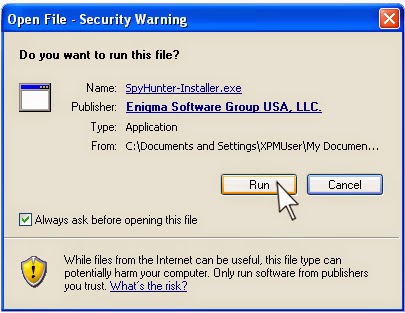
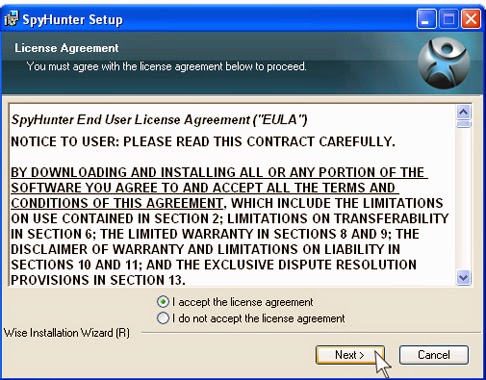
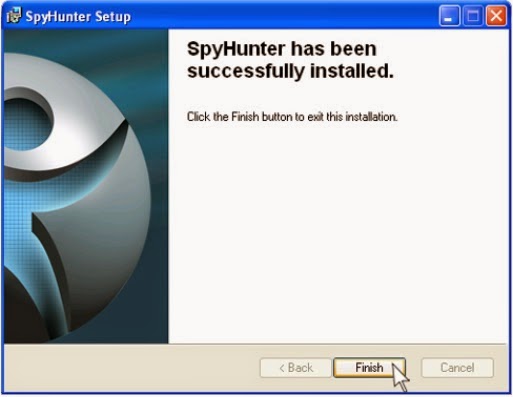
Step 3: Run SpyHunter and start a full scan
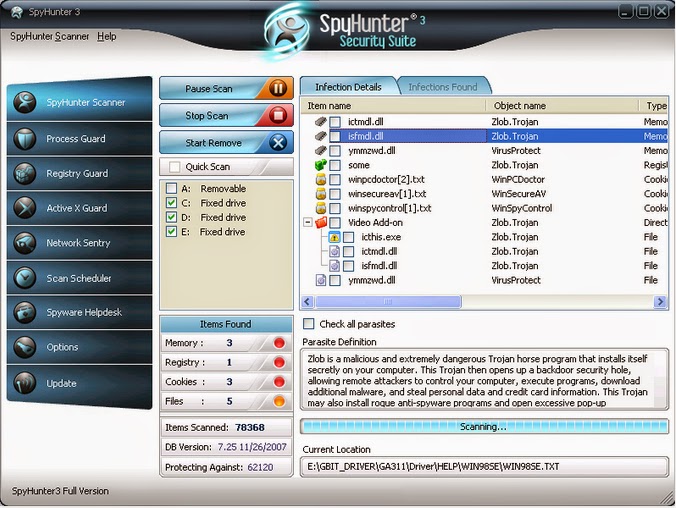
Step 4: Show the scan result and then delete all detected item
Manual removal is an efficient way to get rid of Cryptorbit. But if you are not familiar with manual operation, please feel free to start an automatic removal with SpyHunter from here right now!
